 Hype Apps
<particles>
Particles moved by formulas and drawn natively: presets like snow and confetti, or your own motion.
<stack style="w-full h-320 rounded-xl bg-#070B1A">
    <particles count="700"
               x="w/2 + cos(i*0.137 + t*0.3) * (6 + i*0.2)"
               y="h/2 + sin(i*0.137 + t*0.3) * (6 + i*0.2) * 0.55"
               size="1.5 + rand*2.5"
               shape="glow"
               blend="add"
               color="hsl(200 + i*0.15, 90%, 70%)"
               style="w-full h-full"/>
</stack>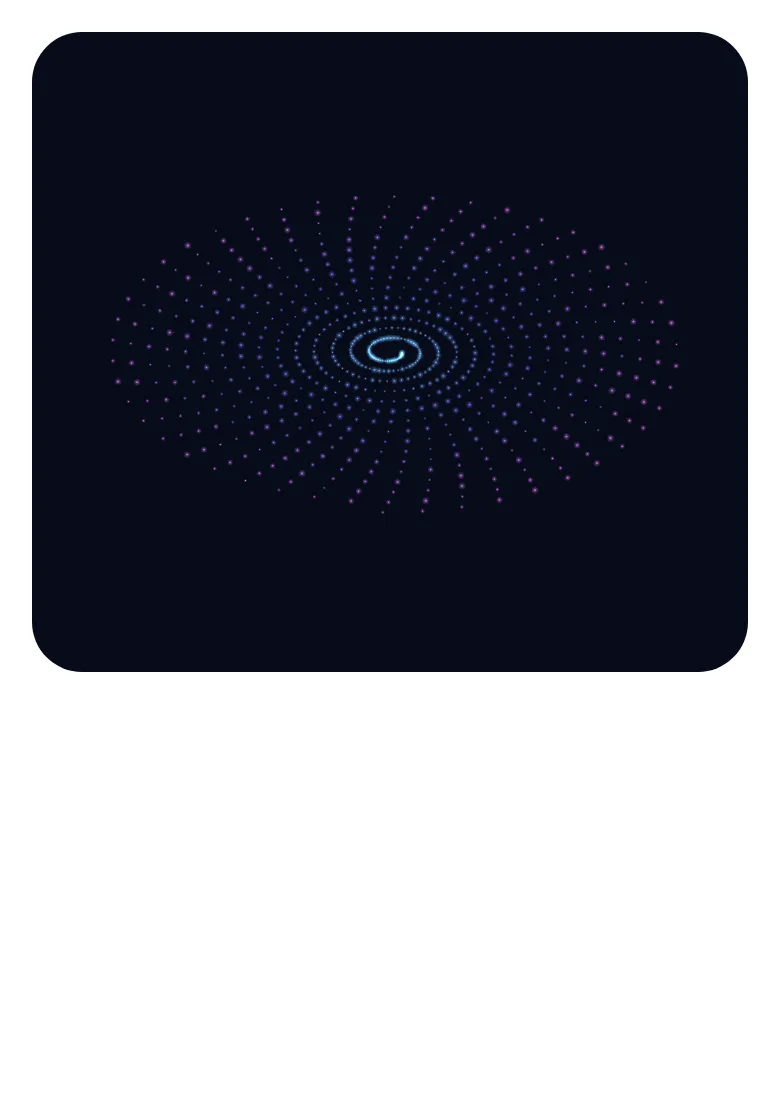
Attributes
| Name | What it does | Default |
|---|---|---|
autostart |
false: nothing is emitted until #id.start. boolean |
true |
ax |
Acceleration px/s² (wind: ax="$wind"). expression |
|
ay |
Acceleration px/s² (gravity: ay="900"). expression |
|
blend |
add: overlapping particles brighten (light, fire). normal, add |
normal |
bounce |
edge="bounce": the share of speed kept. number |
0.6 |
burst |
How many #id.burst releases when it gives no number (60). number |
|
chance |
A sub-emitter: the probability it fires at each event (a trail: at each emission). 0 never fires, 1 always does. number |
1 |
color |
A color token, or hsl(h, s%, l%[, a]) / rgb(r, g, b[, a]) with formulas. Default white; a sub-emitter inherits its parent's. string |
|
count |
Keep this many alive (respawned as they die). Default 50 with no rate or burst. On a sub-emitter: the burst at each event. number |
|
drag |
Share of velocity lost per second, 0–1 (above 1, every particle stops at once). expression |
|
edge |
At the box edge: kill (default with velocity), wrap, bounce, none (default with x and y formulas). kill, wrap, bounce, none |
|
height |
Height in px when the parent gives none (200). number |
|
lifetime |
Seconds, evaluated at birth (2 + rand). None: it lives until an edge removes it. expression |
|
max |
The most alive at once, sub-emitters included (at most 5000). number |
1000 |
offscreen |
Off screen the effect pauses. wait: a burst sent then waits and plays once a third of the effect is in view, so it is seen (\$id.pending counts it). play: a burst plays out on time, unpainted (an effect tied to a moment elsewhere on the page). wait, play |
wait |
on |
A nested <particles> only: the parent particle's event it answers. death, birth, trail, edge |
|
opacity |
Opacity 0–1 (1 - life fades it out). expression |
1 |
preset |
A named bundle of these attributes; any attribute here overrides it. rain, snow, stars, twinkle, confetti, sparkles, bubbles, embers |
|
rate |
Particles per second. On a trail sub-emitter: per parent, per second. number |
|
rotation |
Degrees (age * 360 spins it). A line also points along its velocity. expression |
|
seed |
The same seed, the same particles on every run. number |
|
shape |
circle, square, ring, star, glow (a soft dot), line, icon:<name> (with the modifiers <icon> takes: icon:favorite fill, icon:star outlined 700), image:<src>. string |
circle |
size |
Size in px (a line: its length). expression |
4 |
spawn |
Where particles are born: box (default), top, bottom, left, right, center, touch, point(x, y), line(x1, y1, x2, y2), rect(x, y, w, h); on a sub-emitter, parent (the default). string |
|
vx |
Velocity px/s: of per-particle constants, the starting speed; of t, x, y …, a velocity field read every frame. expression |
|
vy |
Velocity px/s, as vx. expression |
|
x |
Parametric position: x as a formula (w/2 + cos(t + i) * 80). Without it, velocity moves the particle. expression |
|
y |
Parametric position, as x. expression |
Commands
| Name | What it does |
|---|---|
burst |
Release N particles now (burst=, else 60). With reduced motion: one still frame early in their life, gone when their lifetime is up. |
clear |
Remove every particle at once. |
start |
Emit (after autostart="false" or #id.stop). |
stop |
Stop emitting; live particles carry on. Once none is left the layer asks for no frames until #id.start or a burst. |
Readings
| Name | What it does |
|---|---|
alive |
Particles alive now. |
density |
The density in force (1 is full). |
over_budget |
Whether the frame budget made it thin out. |
pending |
Spawns waiting for a frame. |
Any tag also takes gestures: @on.tap, @on.longpress, @on.doubletap and @on.swipeleft (and right, up and down). @click runs on a tap too.