 Hype Apps
<sketch>
A drawing surface for finger or stylus, with a pen, eraser and color toolbar; it saves as a PNG.
Aliases
Reset to canonicalThis tag has more than one name. Every spelling is the same tag, so write whichever feels natural. Pick one and every example on this page uses it.
<sketch id="pad"
        name="sketch"
        colors="black,teal,orange,blue"
        style="w-full h-360 rounded-xl border border-gray-200"/>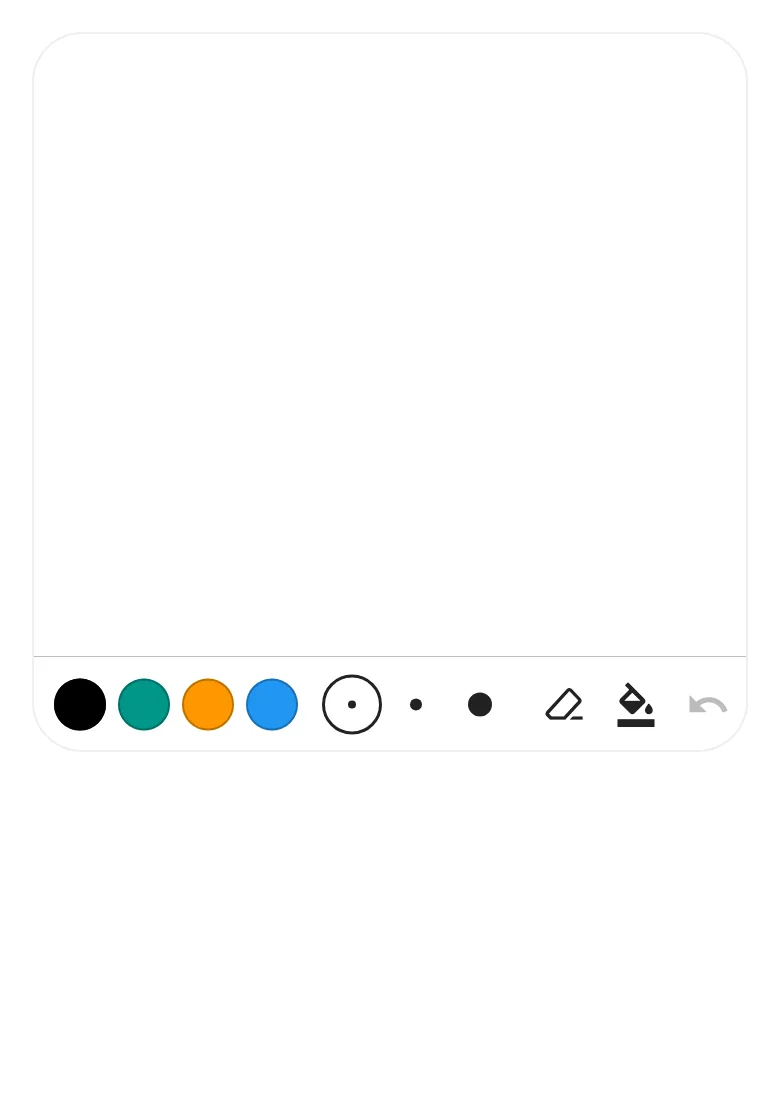
Attributes
| Name | What it does | Default |
|---|---|---|
allow |
What the tool parts may do beyond their sandbox, comma-separated: fetch, navigate, globals (or globals:name), commands (or commands:id), database, auth, notify, device, ads, all. Without it a tool may only command and read its pad, its own variables and its own elements. string |
|
ants |
Draw marching ants along the selection (false: the app draws its own outline with <path>). boolean |
true |
ants-color |
The ants' dash color (over a dark line). color |
white |
ants-dash |
The ants' dash and gap, screen px. string |
6 4 |
ants-speed |
How fast the ants march (0: still). number |
1 |
background |
Backdrop color while drawing; visual only, never exported. color |
white |
canvas-height |
With canvas-width: the document's height in pixels. number |
|
canvas-width |
With canvas-height: the document's width in pixels. The canvas is then a raster document of that size, shown fitted into the box: every layer is a W × H image, strokes and fills are burned into its pixels in document px (pen widths too), images are placed pixel for pixel, the export and thumbnails are exactly W × H on every device, and a zoom magnifies the pixels, line art and paint alike. number |
|
colors |
Comma-separated pen palette, names or hex; the first is selected. string |
black,red,blue,green,yellow,white |
document |
The document shown: each key keeps its own strokes, undo history and layer settings for the run, so document="$page" switches between paintings without losing any. string |
|
double-tap |
A zoom factor a one-finger double tap toggles to and back from, about the tap (as <zoom>'s); a tap's dot then waits 300 ms for a second tap. 0 (the default): double taps draw two dots, as before. number |
0 |
eraser-alpha |
The eraser strength 0–1 (as #id.eraser.alpha). number |
1 |
eraser-flow |
The eraser's strength per dab 0–1 (as pen-flow). number |
1 |
eraser-hardness |
The eraser's edge hardness 0–1 (as pen-hardness). number |
1 |
eraser-shape |
The eraser tip (as #id.eraser.shape). round, square |
round |
eraser-width |
Initial eraser width. number |
24 |
export-scale |
PNG pixels per logical pixel, 1–4. Ignored with canvas-width/canvas-height (the export is the document's own size). number |
2 |
fill-grow |
Pixels the bucket then spreads into the line art's antialiased edge, stopping at the line's darkest pixel, so no white halo is left along the lines; 0 is off (as #id.fill.grow). number |
3 |
fill-threshold |
The bucket threshold 0–100: how different a pixel may be from the tapped one and still fill, in percent (as #id.fill.threshold). Higher reaches further into soft edges and through faint gaps. number |
19 |
initial |
Image loaded as the drawing's base layer (resume earlier work); is exported. url |
|
layer |
The layer to start on: a number or a <layer> name (default: the first unlocked layer). string |
|
layers |
Layers created upfront, 1–8 (#id.layer:N also creates lazily). number |
1 |
magnify |
How a raster document is sampled when zoomed in: crisp is linear up to two device pixels per document pixel and nearest-neighbour beyond (pixels look like pixels); smooth stays linear at every zoom. crisp, smooth |
crisp |
pen-alpha |
The pen opacity 0–1: the most one stroke can reach (as #id.pen.alpha). number |
1 |
pen-color |
The starting pen color (as #id.pen.color sets it; default: the first of colors=). color |
|
pen-dynamics |
The initial ink dynamics (as #id.pen.dynamics sets them). none, fountain, pressure |
none |
pen-flow |
Paint per dab 0–1: below 1 the stroke is laid as dabs that build up where they overlap, never past pen-alpha; 1 is a solid stroke. number |
1 |
pen-hardness |
Edge hardness 0–1: 1 a hard edge (as before), 0 a fully feathered one (an airbrush). Round and square tips; a stamp brush keeps its image. number |
1 |
pen-pressure-opacity |
How much a pencil's pressure changes the opacity along a stroke, 0–1 (0: not at all; 1: the pressure is the opacity). Width follows pressure through pen-dynamics="pressure". number |
0 |
pen-shape |
The initial pen tip: round, square, or an image URL (a stamp brush), as #id.pen.shape sets it. string |
round |
pen-smoothing |
Streamline 0–1: the stroke follows the finger part of the way, steadying a shaky line; 0 is the finger's own path. number |
0 |
pen-spacing |
Dab spacing as a fraction of the width, for stamp brushes and dabbed strokes (0.4 as before). number |
0.4 |
pen-taper |
Taper length at the stroke ends, px, with dynamics on (as #id.pen.taper). number |
0 |
pen-width |
The starting pen width, px (as #id.pen.width; default: the first of widths=). number |
|
pen-width-max |
Thickest width for dynamics, px (as #id.pen.width.max; default 1.75 × the width). number |
|
pen-width-min |
Thinnest width for dynamics, px (as #id.pen.width.min; default 0.25 × the width). number |
|
persist |
Keep the documents across launches (written to the app's own storage as they change). boolean |
false |
rotate |
A two-finger twist turns the view with the pinch and pan, one gesture, about the fingers (as the painting apps do); false (the default): a twist is ignored, as before. Strokes land on the canvas where the finger is; the export is never rotated. The rotate command always works. boolean |
false |
snap-angle |
Degrees within which a twist snaps to a quarter turn (0, 90, 180, -90); 0 never snaps. number |
5 |
tool |
The tool to start with: pen, eraser, fill (as #id.pen / #id.eraser / #id.fill set it), or none / a plugin tool's name, which paints nothing: one finger fires @on.touch.* with document coordinates, two fingers still zoom, pan and twist. string |
pen |
toolbar |
Show the built-in toolbar; false to compose your own from commands. boolean |
true |
tools |
Tool parts (plugins) to load, comma-separated file:/ or https:// sources, each a HAM file whose root is <canvas-tool name="…">; a loaded tool is #id.tool:name and $id.tool == 'name'. string |
|
underlay |
Faint guide image behind the surface (trace over it); never exported. url |
|
underlay-fit |
How the guide image fits. contain, cover, fill |
contain |
underlay-opacity |
Guide opacity 0–1. number |
0.25 |
widths |
Comma-separated stroke widths. string |
3,6,12 |
zoom-animate |
Milliseconds a commanded zoom (or reset-view) glides to its target instead of jumping; a pinch is always direct. number |
0 |
Commands
| Name | What it does |
|---|---|
clear |
Clear the drawing. |
eraser |
Switch to the eraser. |
eraser.alpha |
Eraser strength 0–1. |
eraser.flow |
The eraser's strength per dab (as pen.flow). |
eraser.hardness |
The eraser's edge hardness (as pen.hardness). |
eraser.shape |
The eraser tip. |
eraser.width |
Eraser width. |
fill |
Flood-fill tool: a tap fills the region on the active layer, within fill.threshold of the tapped color and grown fill.grow px into the lines' edge. |
fill.grow |
How far the bucket spreads into the line art's edge, up to its darkest pixel; 0 is off. |
fill.threshold |
Bucket threshold: how different a pixel may be from the tapped one and still fill, in percent. |
layer |
Switch to (and create) a layer, 1–8, or a <layer> by name; a locked layer is refused. |
layer.{n}.blend |
Layer n's blend mode over the layers below; n a number or a <layer> id. |
layer.{n}.clear |
Clear layer n's marks (undoable); n a number or a <layer> id. |
layer.{n}.hide |
Hide layer n (a number or a <layer> id). |
layer.{n}.opacity |
Layer n's opacity; n a number or a <layer> id. |
layer.{n}.show |
Show layer n (a number, or a <layer> id: layer.paint.show). |
pan |
Pan the canvas. |
pen |
Switch to the pen. |
pen.alpha |
Pen opacity 0–1: the most one stroke can reach. |
pen.color |
Pen (and fill) color. |
pen.dynamics |
Expressive ink: fountain maps speed to width, pressure uses stylus pressure. |
pen.flow |
Paint per dab: below 1 the stroke builds up where its dabs overlap, capped by pen.alpha. |
pen.hardness |
Edge hardness: 1 hard (the default), 0 fully feathered. Round and square tips. |
pen.pressure.opacity |
How much pressure changes the opacity along a stroke (0, the default: not at all). |
pen.shape |
Pen tip: round, square, or an image URL (a stamp brush). |
pen.smoothing |
Streamline: the stroke follows the finger part of the way; 0 (the default) is its own path. |
pen.spacing |
Dab spacing as a fraction of the width (0.4), for stamp brushes and dabbed strokes. |
pen.taper |
Taper the stroke ends. |
pen.width |
Pen width. |
pen.width.max |
Thickest width for dynamics. |
pen.width.min |
Thinnest width for dynamics. |
redo |
Redo. |
reset-view |
Reset zoom, pan and rotation (as <zoom>'s reset). |
rotate |
Turn the view to that angle (-180..180, 0 unrotated), about the center, or about a point of the surface (rotate:15@400,300), which stays put; glides over zoom-animate ms. |
select.add.path |
Add the polygon to the selection. |
select.add.rect |
Add the rectangle to the selection. |
select.all |
Select the whole document. |
select.clear |
No selection: the whole pad takes paint again. |
select.invert |
Select what was not selected. |
select.path |
Select the closed polygon (document px), a lasso. |
select.rect |
Select the rectangle (document px). |
select.subtract.path |
Take the polygon out of the selection. |
select.subtract.rect |
Take the rectangle out of the selection. |
selection.copy |
Copy the selected pixels (and the outline) to the pad's clipboard. |
selection.delete |
Clear the selected pixels of the active layer; undoable. |
selection.fill |
Fill the selection on the active layer with the color (the pen's by default); undoable. |
selection.move |
Move the selected pixels of the active layer (and the selection) by document px; undoable. |
selection.paste |
Paste the clipboard where it was copied from, onto the active layer, and select it; undoable. |
selection.to-layer |
Cut the selected pixels into a new layer, which becomes active; undoable. |
selection.transform |
Scale and turn the selected pixels about a point (the selection's center by default); undoable. |
snapshot |
Capture the drawing as a PNG. |
tool |
Switch tools by name: pen, eraser, fill, none (nothing painted, the fingers are the app's) or a plugin tool declared with <canvas-tool>. |
tool.options |
The active tool part's <options> popover. |
undo |
Undo the last stroke. |
width |
Width of the current tool. |
zoom |
Zoom level 1–8, about the center, or about a point of the surface (zoom:2.5@400,300: logical px from its top left, which stays put); glides over zoom-animate ms. |
Readings
| Name | What it does |
|---|---|
canredo |
Whether redo has anything to redo. |
canundo |
Whether undo has anything to undo. |
drawing |
Whether a stroke is in progress. |
empty |
Whether nothing is drawn. |
eraser.alpha |
The eraser opacity. |
eraser.flow |
The eraser's strength per dab 0–1. |
eraser.hardness |
The eraser's edge hardness 0–1. |
eraser.shape |
The eraser tip: round or square. |
eraser.width |
The eraser width. |
fill.grow |
How far the bucket spreads into the line art, in px. |
fill.threshold |
The bucket threshold, 0–100. |
layer |
The active layer number. |
layer.{id}.blend |
That layer's blend mode. |
layer.{id}.index |
That layer's number, 1 at the bottom. |
layer.{id}.locked |
Whether that layer is locked. |
layer.{id}.name |
That layer's name as shown. |
layer.{id}.opacity |
That layer's opacity. |
layer.{id}.visible |
Whether the declared layer with that id is visible. |
layer.{n}.blend |
Layer n's blend mode. |
layer.{n}.locked |
Whether layer n is locked (takes no stroke). |
layer.{n}.name |
Layer n's name as shown (name=, else id, else "Layer n"). |
layer.{n}.opacity |
Layer n's opacity. |
layer.{n}.visible |
Whether layer n is visible. |
layer_id |
The active layer's id (<layer id>); empty for a plain layer. |
layer_name |
The active layer's name as shown: its name=, else its id, else "Layer N". |
layers |
How many layers there are. |
pen.alpha |
The pen opacity. |
pen.color |
The pen color as hex. |
pen.dynamics |
Whether pen dynamics are on. |
pen.flow |
The pen's paint per dab 0–1 (1 solid). |
pen.hardness |
The pen's edge hardness 0–1 (1 hard, 0 fully feathered). |
pen.pressure.opacity |
How much pressure changes the opacity, 0–1 (0 not at all). |
pen.shape |
The pen shape. |
pen.smoothing |
The pen's streamline 0–1 (0 the finger's own path). |
pen.spacing |
The dab spacing as a fraction of the width (0.4). |
pen.taper |
The taper length at the stroke ends, px. |
pen.width |
The pen width. |
pen.width.max |
The thickest width dynamics draw (set, or 1.75 × pen.width). |
pen.width.min |
The thinnest width dynamics draw (set, or 0.25 × pen.width). |
rotation |
The view's rotation in degrees, -180..180 (0: unrotated; the export never is). |
selection.empty |
Whether nothing is selected. |
selection.h |
The selection's bounds: height. |
selection.path |
The last polygon or rectangle given ("x,y x,y …"), for an outline drawn with <path>; empty after invert, add or subtract. |
selection.w |
The selection's bounds: width. |
selection.x |
The selection's bounds: left, document px (0 when empty). |
selection.y |
The selection's bounds: top. |
size.x |
Canvas width in pixels. |
size.y |
Canvas height in pixels. |
strokes |
Strokes drawn. |
thumbnail |
The last export of the shown document as an image source (<img src="$id.thumbnail">); empty until something is drawn. |
tool |
The active tool. |
tools |
The loaded tool parts' names, comma-separated. |
x |
The pan offset: where the canvas's left edge sits, logical px (0 or negative). |
y |
The pan offset of the top edge, logical px. |
zoom |
The zoom factor. |
Any tag also takes gestures: @on.tap, @on.longpress, @on.doubletap and @on.swipeleft (and right, up and down). @click runs on a tap too.