 Hype Apps
Thank you for signing up to hear about Hype Apps. I have been working hard on the upcoming launch, and I'll be sharing pieces of what I've built along the way.
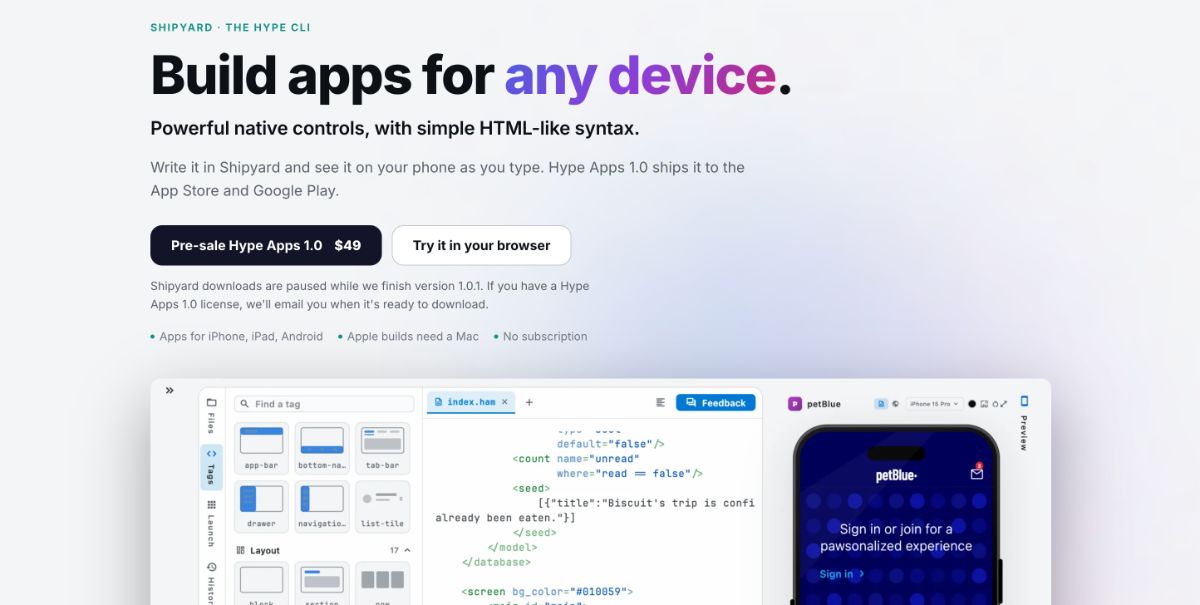
There is also an updated site with examples at https://hypeapps.dev:
Episode 1: The <database> tag.
Databases are an incredibly complex and fundamental part of any application. So how can they be simplified and stripped down to their core?
First, let's define what we mean here. For a mobile app, lets say there are three categories of database:
- The server database. Hype apps lets you build fully server-driven mobile apps, so you can just use your db (mysql, postgres, sqlite, whatever) on the server like you've always had. Think any web app.
- On-device storage. Everything is kept away from the internet, it just saves on the user's device. Think any offline phone app.
- Synced local database. Data is stored on the users device — but it is also shared and persisted across multiple devices. Think of a local phone app with world-wide high scores.
So how can we serve each of these use cases with Hype Apps and Hypermedia Application Markup (HAM)?
1. The server database.
This isn't so much we handle this, as you handle this. This is the true power of HAM — it's a server driven ui including full templating from your own app and database in your own preferred backend language and framework. For instance, a list of users might look like this:

In this case I am using Eloquent and Laravel Blade, but of course you could use any framework's ORM and a templating engine or even raw queries to populate the data from your server. Just send it back in valid HAM (basically HTML), and your app will compile and render it natively.
The ability to drive your apps like this is likely why you'd use HAM in the first place, and its the best way to do it if you are building something deeply connected to a central server.
But what do you do if you want to build an app that works offline and never touches the internet?
2. On-device storage.
This is where the <database> tag comes in. You define your database directly in your HAM code. It loads it once, builds it if it doesn't exist, and then you can use it in the rest of your code.
Let's look at the code:

We have a database named trivia.
That database has an model called a question (our db table).
Each question has its text, a right answer, and 2 wrong answers.
We have an optional seed to start our database off with some info.
And that's it.
We now have a working local database for our app. No imports, no db connections, no passwords, no ports, no urls.
If you wanted to then loop through those seeded rows and show each right answer, here is how you would do that with pure HAM (no backend, no server):

Note that we give every row a default created_at (and an updated_at), and you can build your query right into the template.
So this is the HAM take on making it easy to create and use a local database. Behind the scenes of course it uses SQLite (maybe the world's greatest piece of software?).
Can you imagine from this example above how you would build a bigger database, with more tables, more fields, and more complex queries? I hope it gives you ideas for your own projects.
Now let's push the limits and imagine we have a harder problem: we don't have a database or a server but we want to have high scores shared across all users. How could we use this paradigm to define a shared app database?
3. Synced local database.
With Hype Apps, all you have to do to make every single instance of an app share the same database is: turn sync on.

So now every user gets the same trivia questions, every user can add their own questions, and every user's questions are scoped to their own device's user.
Every user in the world now seeing the same data, with no other setup.
What is this witchcraft??
Well, basically, I have set up hypeapps.dev as a simple hub for sharing encrypted database syncs. The server itself can't see what's in each database, but it can keep track of every instance from every device and make sure they stay up to date with each other on a regular interval. Every app has its own unique key that lets it load that database.
Not comfortable putting that on the hypeapps.dev server? You can just add your own url to handle the sync, and set an interval for updating:

Now with this code, your app hits your own server to centrally sync your app's database (that requires some specific requirements — I'll add a lesson on it in the future), but all handled through your HAM code and on the interval you set.
***
So this is how databases work in HAM. If you are a long time developer, that database definition code snippet should look almost suspiciously simple.
In case it's not clear, I am not fucking around about making this the easiest, most developer-friendly language and system for building apps that's ever been created. And it's not just with the database; it's with everything — the design system, the component library, the local variables, the device access, the generalized hypermedia controls, even the ai integration.
I am stealing borrowing strategically from every single one of the best hypermedia developer apis out there (htmx, tailwind, datastar, laravel, fixi, alpine), and combining them into the HAM language so you and I can make slick mobile apps.
What do you think? How does the database api feel to you? Could I make it easier? And if so, how?
Replies to this email go directly to me, and I will read them.
Build something awesome
-Lazarus
Creator, Hype Apps
p.s. Hype Apps 1.0 is launching soon. You can try it for free but if you want to show me and this project huge support AND get the whole system at half price before it goes live ($49 pre-sale vs. $99 at launch), you can order it now at https://hypeapps.dev
p.p.s. Want to see building an app with the database tag in action? I posted this companion video today: